|
Os motores de busca de Datasheet de Componentes eletrônicos |
|
|
Os motores de busca de Datasheet de Componentes eletrônicos |
|
USB2640 Folha de dados(PDF) 34 Page - Microchip Technology |
|
|
|||||||||||||||||||||||||||||
USB2640 Folha de dados(HTML) 34 Page - Microchip Technology |
|
|
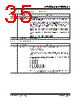
34 / 60 page  USB2640/USB2641 DS00001947C-page 34 2015-2021 Microchip Technology Inc. 7.3.5.8 E5h: Configuration Data Byte 2 (CFG_DAT_BYT2) 5 HS_DISABLE Hi-Speed Disable: Disables the capability to attach as either a Hi-/Full-Speed device, and forces attachment as Full-Speed only (i.e. no Hi-Speed support). ‘0’ = Hi-/Full-Speed ‘1’ = Full-Speed-Only (Hi-Speed disabled!) 4 Reserved Always reads ‘0’. 3 EOP_DISABLE EOP Disable: Disables EOP generation of EOF1 when in Full-Speed mode. During FS operation only, this permits the hub to send EOP if no downstream traffic is detected at EOF1. See Section 11.3.1 of the USB 2.0 Specification for additional details. Note: generation of an EOP at the EOF1 point may prevent a Host Controller (operating in FS mode) from placing the USB bus in suspend. ‘0’ = An EOP is generated at the EOF1 point if no traffic is detected. ‘1’ = EOP generation at EOF1 is disabled (Note: This is normal USB operation). Note: This is a rarely used feature in the PC environment, existing drivers may not have been thoroughly debugged with this feature enabled. It is included because it is a permitted feature in Chapter 11 of the USB 2.0 Specification. 2:1 CURRENT_SNS Over-Current Sense: Selects current sensing on a port-by-port basis, all ports ganged, or none (only for bus-powered hubs). The ability to support current sensing on a port or ganged basis is dependent upon the hardware implementation. ‘00’ = Ganged sensing (all ports together) ‘01’ = Individual port-by-port ‘1x’ = Over-current sensing not supported (must only be used with bus- powered configurations!) 0 PORT_PWR Port Power Switching: Enables power switching on all ports simultaneously (ganged), or port power is individually switched on and off on a port- by-port basis (individual). The ability to support power enabling on a port or ganged basis is dependent upon the hardware implementation. ‘0’ = Ganged switching (all ports together) ‘1’ = Individual port-by-port switching Bit Name Description 7:6 Reserved Always reads ‘0’. 5:4 OC_TIMER OverCurrent Timer: Over-current Timer delay. 00 = 50 ns 01 = 100 ns 10 = 200 ns 11 = 400 ns 3 COMPOUND Compound Device: Allows OEM to indicate that the hub is part of a compound (see the USB 2.0 Specification for definition) device. The applicable port(s) must also be defined as having a "non-removable device". When configured via strapping options, declaring a port as non-removable automatically causes the hub controller to report that it is part of a Compound Device. ‘0’ = No ‘1’ = Yes, the hub is part of a Compound Device 2:0 Always reads ‘0’. Always reads ‘0’. Bit Name Description |
|
Ligação URL |
| ALLDATASHEET é útil para você? [ DONATE ] |
Sobre Alldatasheet | Publicidade | Contato conosco | Privacy Policy | Link para a ficha técnica | roca de Link | Lista de Fabricantes All Rights Reserved©Alldatasheet.com |
| Russian : Alldatasheetru.com | Korean : Alldatasheet.co.kr | Spanish : Alldatasheet.es | French : Alldatasheet.fr | Italian : Alldatasheetit.com Portuguese : Alldatasheetpt.com | Polish : Alldatasheet.pl | Vietnamese : Alldatasheet.vn Indian : Alldatasheet.in | Mexican : Alldatasheet.com.mx | British : Alldatasheet.co.uk | New Zealand : Alldatasheet.co.nz |
|
Family Site : ic2ic.com |
icmetro.com |
 Portuguese ▼
 English
 Chinese
 German
 Japanese
 Russian
 Korean
 Spanish
 French
 Italian
 Portuguese
 Polish
 Vietnamese
 Indian
 Mexican
 British
 New Zealand