|
Os motores de busca de Datasheet de Componentes eletrônicos |
|
|
Os motores de busca de Datasheet de Componentes eletrônicos |
|
USB2640 Folha de dados(PDF) 21 Page - Microchip Technology |
|
|
|||||||||||||||||||||||||||||
USB2640 Folha de dados(HTML) 21 Page - Microchip Technology |
|
|
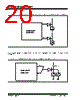
21 / 60 page  2015-2021 Microchip Technology Inc. DS00001947C-page 21 USB2640/USB2641 6.4 ROM BOOT Sequence After power-on reset, the internal firmware checks for an external SPI flash device that contains a valid signature of "2DFU" (device firmware upgrade) beginning at address 0xFFFA. If a valid signature is found, then the external ROM is enabled and code execution begins at address 0x0000 in the external SPI device. Otherwise, code execution contin- ues from the internal ROM. If there is no SPI ROM detected, the internal firmware then checks for the presence of an I2C ROM. The firmware looks for the signature ‘ATA2’ at the offset of 0xFC-0xFF in the I2C ROM. The firmware reads in the I2C ROM to configure the hardware and software internally. Please refer to section Section 7.3.2, "EEPROM Data Descriptor," on page 24 for the details of the configuration options. The SPI ROM required for the USB2640/USB2641 must be 1 Mbit and support either 30 MHz or 60 MHz. The frequency used is set using the SPI_SPD_SEL. For 30 MHz operation, this pin must be pulled to ground through a 100 k resistor. For 60 MHz operation, this pin must pulled up through a 100 k resistor. SPI_SPD_SEL: This pin is used to choose the speed of the SPI interface. During nRESET assertion, this pin will be tri-stated with the weak pull-down resistor enabled. When nRESET is negated, the value on the pin will be internally latched, and the pin will revert to SPI_DO functionality, the internal pull-down will be disabled. The firmware can determine the speed of operation on the SPI port by checking the SPI_SPEED in the SPI_CTL register (0x2400 - RESET = 0x02). Both 1- and 2-bit SPI operation is supported. For optimum throughput, a 2-bit SPI ROM is recommended. Both mode 0 and mode 3 SPI ROMS are also supported. FIGURE 6-4: USB2640/USB2641 SPI ROM CONNECTION SPI_CE_N SPI_CLK / SCL SPI_DI USB2640/ USB2641 SPI_DO / SDA / SPI_SPD_SEL SPI ROM CE# CLK SI SO |
|
Ligação URL |
| ALLDATASHEET é útil para você? [ DONATE ] |
Sobre Alldatasheet | Publicidade | Contato conosco | Privacy Policy | Link para a ficha técnica | roca de Link | Lista de Fabricantes All Rights Reserved©Alldatasheet.com |
| Russian : Alldatasheetru.com | Korean : Alldatasheet.co.kr | Spanish : Alldatasheet.es | French : Alldatasheet.fr | Italian : Alldatasheetit.com Portuguese : Alldatasheetpt.com | Polish : Alldatasheet.pl | Vietnamese : Alldatasheet.vn Indian : Alldatasheet.in | Mexican : Alldatasheet.com.mx | British : Alldatasheet.co.uk | New Zealand : Alldatasheet.co.nz |
|
Family Site : ic2ic.com |
icmetro.com |
 Portuguese ▼
 English
 Chinese
 German
 Japanese
 Russian
 Korean
 Spanish
 French
 Italian
 Portuguese
 Polish
 Vietnamese
 Indian
 Mexican
 British
 New Zealand