|
Os motores de busca de Datasheet de Componentes eletrônicos |
|
|
Os motores de busca de Datasheet de Componentes eletrônicos |
|
KCU105 Folha de dados(PDF) 7 Page - Texas Instruments |
|
|
|||||||||||||||||||||||||||||
KCU105 Folha de dados(HTML) 7 Page - Texas Instruments |
|
|
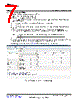
7 / 40 page  www.ti.com KCU105 Quick Start-Up Instructions 7 SLAU711 – March 2017 Submit Documentation Feedback Copyright © 2017, Texas Instruments Incorporated HSDC Pro With Xilinx® KCU105 6.2 Programing the FPGA Complete the following steps to program the FPGA: 1. Open the Xilinx Vivado 2016.3 design tool. 2. Double click on “Open Hardware Manager”. 3. Click on “Open Target” (located on the green bar), and select “Open New Target" (also at Tools → Open New Target). 4. Click on “Next” twice. Select the Hardware Target, and click “Next” again. 5. Click on “Finish”. 6. Click on “Program device” (located on the green bar). Select "xcku040_0" (also at Tools → Program device). 7. Select the proper bit stream file. The firmware is found in: “C:\Program Files (x86)\Texas Instruments\High Speed Data Converter Pro\KCU105 Details\Firmware\KCU105_TI_DHCP.bit". NOTE: If there is an error regarding ASCII characters, drag the bit file to the desktop and target the file there. 8. Click on “Program.” 9. A new window will open showing the status of the programming. Once this reaches 100%, the FPGA is programmed. Make sure the calibration passes and that there are no errors. Vivado 2016.3 should look similar to Figure 2 after programming the KCU105 correctly. Figure 2. Passed Calibration in Vivado® 2016.3 |
|
Ligação URL |
| ALLDATASHEET é útil para você? [ DONATE ] |
Sobre Alldatasheet | Publicidade | Contato conosco | Privacy Policy | Link para a ficha técnica | roca de Link | Lista de Fabricantes All Rights Reserved©Alldatasheet.com |
| Russian : Alldatasheetru.com | Korean : Alldatasheet.co.kr | Spanish : Alldatasheet.es | French : Alldatasheet.fr | Italian : Alldatasheetit.com Portuguese : Alldatasheetpt.com | Polish : Alldatasheet.pl | Vietnamese : Alldatasheet.vn Indian : Alldatasheet.in | Mexican : Alldatasheet.com.mx | British : Alldatasheet.co.uk | New Zealand : Alldatasheet.co.nz |
|
Family Site : ic2ic.com |
icmetro.com |
 Portuguese ▼
 English
 Chinese
 German
 Japanese
 Russian
 Korean
 Spanish
 French
 Italian
 Portuguese
 Polish
 Vietnamese
 Indian
 Mexican
 British
 New Zealand