|
Os motores de busca de Datasheet de Componentes eletrônicos |
|
|
Os motores de busca de Datasheet de Componentes eletrônicos |
|
M30620FCAFP Folha de dados(PDF) 361 Page - Renesas Technology Corp |
|
|
|||||||||||||||||||||||||||||
M30620FCAFP Folha de dados(HTML) 361 Page - Renesas Technology Corp |
|
|
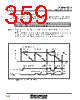
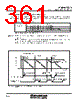
361 / 615 page  Timer B Mitsubishi microcomputers M16C / 62A Group SINGLE-CHIP 16-BIT CMOS MICROCOMPUTER 2-44 In event counter mode, choose functions from those listed in Table 2.3.2. Operations of the circled items are described below. Figure 2.3.6 shows the operation timing, and Figure 2.3.7 shows the set-up procedure. 2.3.3 Operation of Timer B (event counter mode) Item Set-up Count source Input signal to the TBiIN pin (counting falling edges) Timer overflow(TBj overflow) O Input signal to the TBiIN pin (counting rising edges) Input signal to the TBiIN pin (counting rising edges and falling edges) Operation Table 2.3.2. Choosed functions Note: j = i – 1, but j = 2 when i = 0, j = 5 when i = 3 Figure 2.3.6. Operation timing of event counter mode FFFF16 n 000016 Time Count start flag Timer Bi interrupt request bit “1” “1” n = reload register content Set to “1” by software “0” “0” Set to “1” by softwar Cleared to “0” by software (1) Start count (2) Underflow (3) Stop count Cleared to “0” when interrupt request is accepted, or cleared by software Start count again (1) Setting the count start flag to “1” causes the counter to count the falling edges of the count source. (2) If an underflow occurs, the content of the reload register is reloaded, and the count continues. At this time, the timer Bi interrupt request bit goes to “1”. (3) Setting the count start flag to “0” causes the counter to hold its value and to stop. |
|
Ligação URL |
| ALLDATASHEET é útil para você? [ DONATE ] |
Sobre Alldatasheet | Publicidade | Contato conosco | Privacy Policy | Link para a ficha técnica | roca de Link | Lista de Fabricantes All Rights Reserved©Alldatasheet.com |
| Russian : Alldatasheetru.com | Korean : Alldatasheet.co.kr | Spanish : Alldatasheet.es | French : Alldatasheet.fr | Italian : Alldatasheetit.com Portuguese : Alldatasheetpt.com | Polish : Alldatasheet.pl | Vietnamese : Alldatasheet.vn Indian : Alldatasheet.in | Mexican : Alldatasheet.com.mx | British : Alldatasheet.co.uk | New Zealand : Alldatasheet.co.nz |
|
Family Site : ic2ic.com |
icmetro.com |
 Portuguese ▼
 English
 Chinese
 German
 Japanese
 Russian
 Korean
 Spanish
 French
 Italian
 Portuguese
 Polish
 Vietnamese
 Indian
 Mexican
 British
 New Zealand